Subtitles that follow along
The sidebar scrolls with the video in real time and highlights the current line — works even on auto-generated captions.
Subtitles follow the video as it plays — kanji get furigana readings, words are color-coded by part of speech, with Chinese translation alongside. Can't parse a full sentence? Let AI break down the grammar.
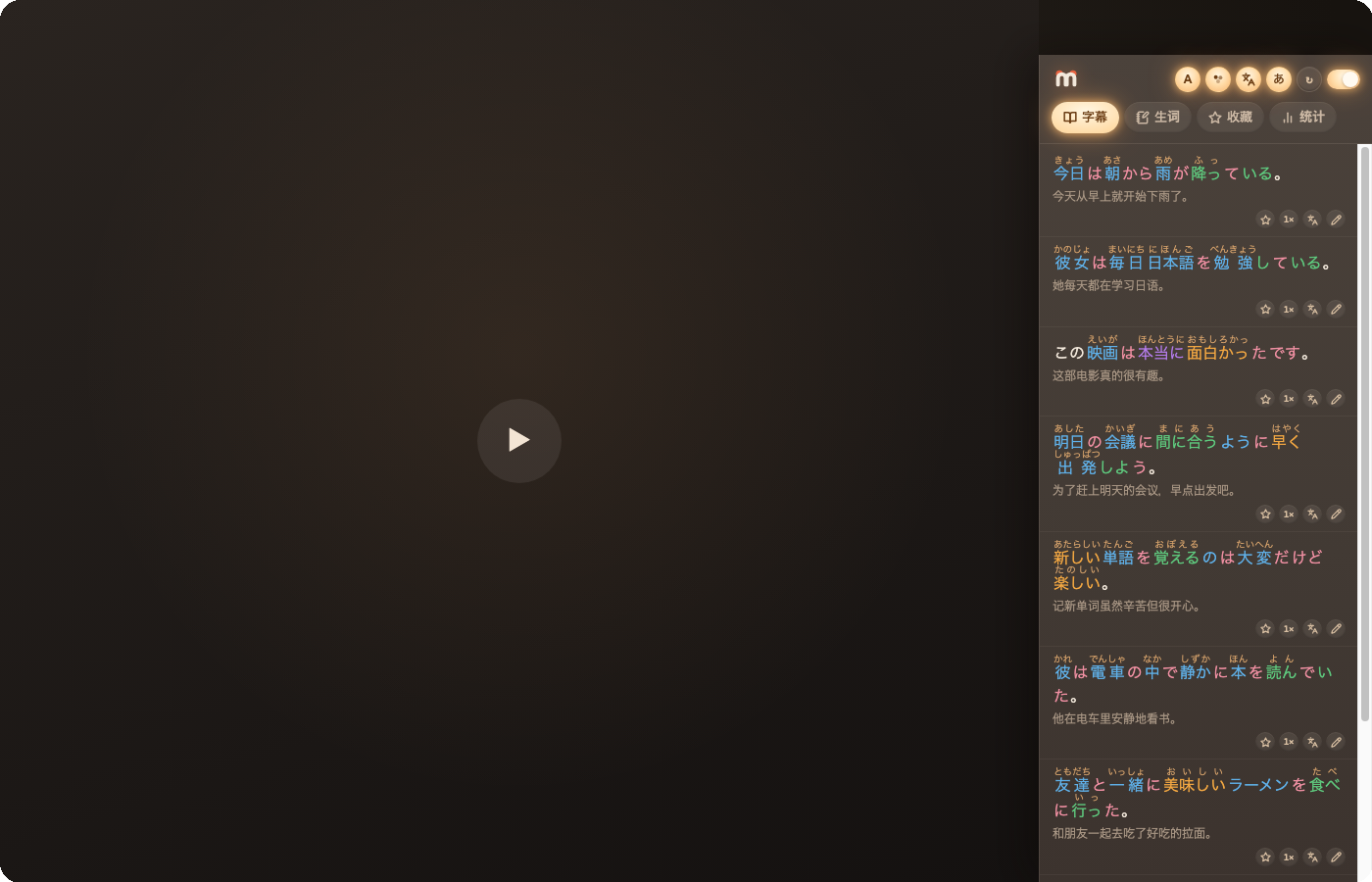
Everything you need while watching, right next to the video.
The sidebar scrolls with the video in real time and highlights the current line — works even on auto-generated captions.
Real reading practice, not romaji — that's how you actually learn to read. One tap to toggle.
Verbs, nouns, adjectives — a different color for each, so sentence structure is clear at a glance.
Toggle a Chinese translation under every line — always free.
100,000+ entries from a community-built Japanese–Chinese dictionary (based on Chinese Wiktionary) — fully offline, zero latency.
Select a sentence and let AI walk through it: full translation, grammar points, word-by-word notes.
Jump to any line, then loop it to practice pronunciation and intonation.
Watching is learning.
Free from the Chrome Web Store.
Works even on videos with only auto-generated captions.
Subtitles, furigana, and translation follow the playback position.
Save anything worth remembering, and loop a line to practice out loud.
Core features stay free forever; upgrade to Pro for unlimited saving and AI breakdowns.
¥0 forever
¥198 CNY / year ¥298
Early-bird price, ~¥16.5/mo | or ¥39 CNY/month
Early-bird pricing may end at any time; sign-in and payment happen on this site.